
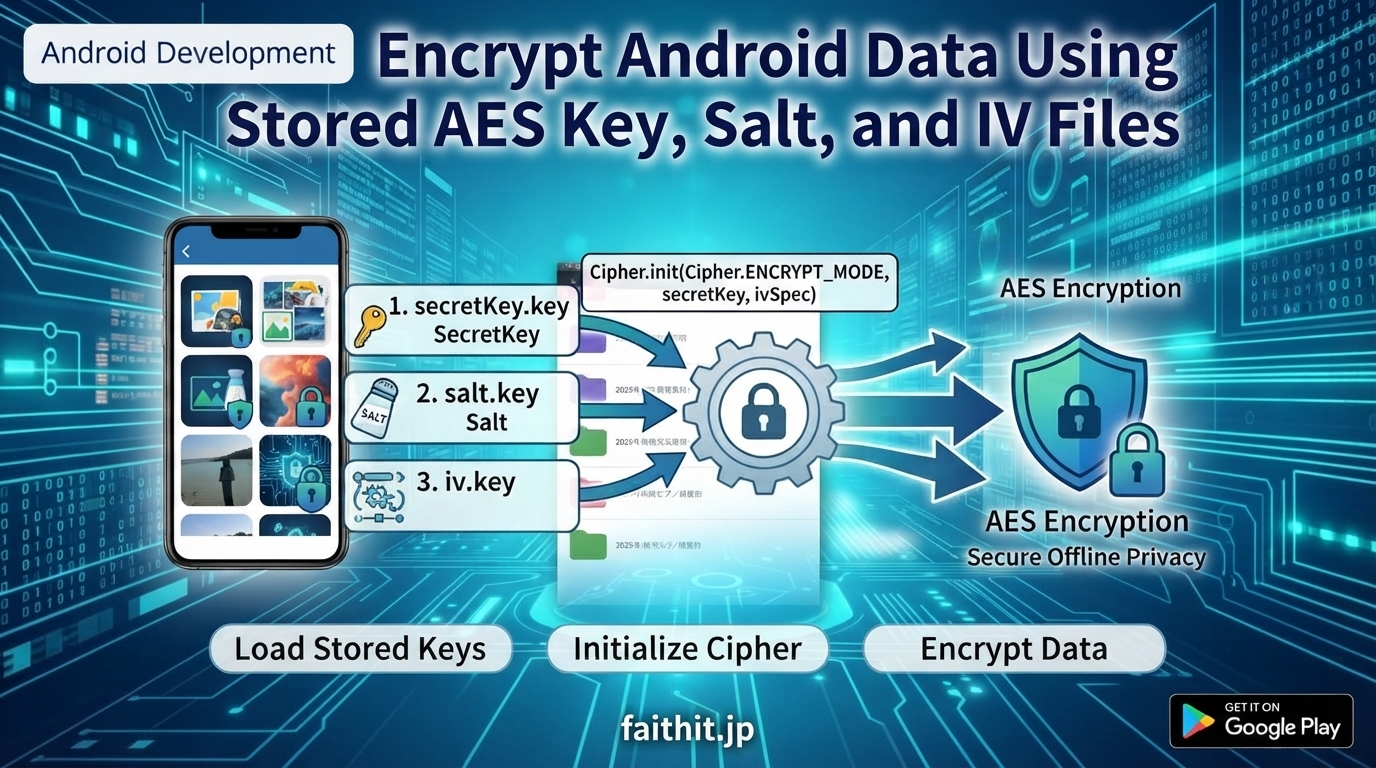
A practical guide for secure file‑based encryption on Android
Encrypting data on Android often requires more than just generating a key on the fly. In many real‑world apps—offline storage, secure media players, protected documents—you need to load previously saved key material and reuse it for encryption or later decryption.
This article explains how to:
- Load a stored AES key, salt, and IV from files
- Reconstruct the key using
SecretKeySpec - Initialize AES/CBC/PKCS5Padding
- Encrypt data using the restored key material
“鍵(secretKey.key)、ソルト(salt.key)、初期化ベクトル(iv.key)をそれぞれファイルから読み込みます。”
1. Required Steps
✔ Load stored key material
Read the following files from storage:
secretKey.key— AES keysalt.key— salt (only needed if you plan to decrypt later)iv.key— initialization vector
✔ Initialize the cipher
Use the loaded AES key and IV to configure the cipher in encryption mode.
✔ Encrypt the data
Run cipher.doFinal() to produce encrypted bytes.
2. Sample Implementation (Java)
Below is a complete example showing how to load key files and encrypt a string:
java
import javax.crypto.Cipher;
import javax.crypto.SecretKey;
import javax.crypto.spec.SecretKeySpec;
import javax.crypto.spec.IvParameterSpec;
import java.io.FileInputStream;
import java.io.ByteArrayOutputStream;

public void encryptData(String data, String storagePath) throws Exception {

    // Load stored AES key
    byte[] encodedKey;
    try (FileInputStream keyIn = new FileInputStream(storagePath + "/secretKey.key")) {
        ByteArrayOutputStream buffer = new ByteArrayOutputStream();
        byte[] temp = new byte[1024];
        int bytesRead;
        while ((bytesRead = keyIn.read(temp)) != -1) {
            buffer.write(temp, 0, bytesRead);
        }
        encodedKey = buffer.toByteArray();
    }
    SecretKey secretKey = new SecretKeySpec(encodedKey, "AES");

    // Load salt (optional unless decrypting later)
    byte[] salt;
    try (FileInputStream saltIn = new FileInputStream(storagePath + "/salt.key")) {
        salt = saltIn.readAllBytes();
    }

    // Load IV
    byte[] iv;
    try (FileInputStream ivIn = new FileInputStream(storagePath + "/iv.key")) {
        iv = ivIn.readAllBytes();
    }
    IvParameterSpec ivSpec = new IvParameterSpec(iv);

    // Initialize AES cipher
    Cipher cipher = Cipher.getInstance("AES/CBC/PKCS5Padding");
    cipher.init(Cipher.ENCRYPT_MODE, secretKey, ivSpec);

    // Encrypt data
    byte[] plaintext = data.getBytes("UTF-8");
    byte[] ciphertext = cipher.doFinal(plaintext);

    System.out.println("Encrypted Data: " +
        javax.xml.bind.DatatypeConverter.printHexBinary(ciphertext));
}
3. Explanation
Reconstructing the AES key
The stored key bytes are wrapped using:
java
new SecretKeySpec(encodedKey, "AES")
This recreates the original AES key exactly.
Loading the IV
The IV is restored using:
java
new IvParameterSpec(iv)
AES/CBC requires the same IV for decryption.
Cipher configuration
The mode used is:
コード
AES/CBC/PKCS5Padding
This must match during decryption.
Encrypted output
You can print the encrypted bytes or save them to a file.
4. Important Notes
- Use the same salt and IV for decryption. If either differs, decryption will fail.
- Store encrypted data safely. Write it to a secure file or protected storage.
- CBC mode requires careful IV handling. Reusing IVs across multiple messages is not recommended for high‑security use cases.
“必ず同じソルト(salt.key) と IV (iv.key)を使用してください。”
5. Summary
This method allows Android apps to:
- Load previously saved AES key material
- Reconstruct the key and IV
- Encrypt data consistently across sessions
- Support offline secure storage scenarios
It is ideal for apps that need persistent encryption keys, such as secure media players, document vaults, or offline data protection.
## Related Application

If you need a secure way to store and play encrypted media files offline,
check out our Android app:

**Photo Guardian — Secure Encrypted Media Player**
Carry your family memories safely, without using the internet.

Available on Google Play.



コメント