
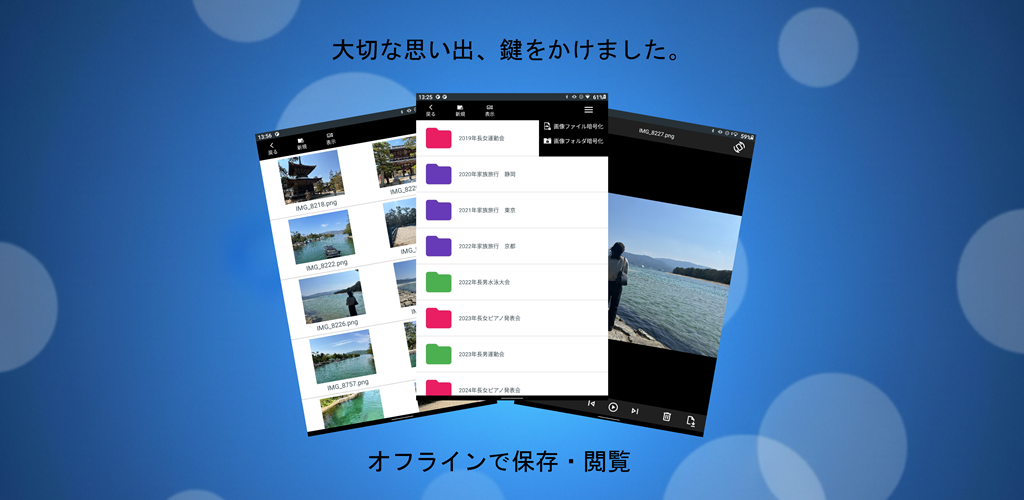
Building an encrypted media player on Android is far more than implementing AES and calling it a day. This article summarizes the real-world engineering challenges I faced while developing Encrypted Media Vault, and the practical solutions that emerged through hands-on debugging, device testing, and countless conversations with AI tools like Copilot.
- 1. Achieving Instant Playback: From Full Decryption to Partial Streaming
- 2. Clean Architecture Through Adapter Separation
- 3. Revisiting Encryption Layers for Password Changes
- 4. UI/UX Pitfalls: Zoom States and Image Switching
- 5. The Hardest Challenge: Eliminating Sensitive Previews in Recent Apps
- 6. Handling Back Navigation Across Different Android Modes
- 7. Keeping the UI Smooth Through Full Asynchronization
- Download the App on Google Play
- Related Articles
1. Achieving Instant Playback: From Full Decryption to Partial Streaming
The initial implementation fully decrypted each video before playback. This approach was simple—but painfully slow for large files.
To eliminate the startup delay, I switched to a partial decryption model:
- Only the required segments of the file are decrypted on demand
- The player reads and streams data progressively
- Even multi‑gigabyte videos start playing instantly
This change dramatically improved responsiveness and made the app feel modern and lightweight.
2. Clean Architecture Through Adapter Separation
To maximize reusability across future projects, I avoided creating a single unified adapter for both images and videos. Instead, I implemented two fully independent adapters, each optimized for its own media type.
This separation:
- Simplifies maintenance
- Improves clarity
- Makes the components portable for other apps
3. Revisiting Encryption Layers for Password Changes
Adding a “change password” feature required rethinking the encryption hierarchy. Simply updating the password would make previously encrypted files unreadable.
The solution was to introduce a layered encryption structure, allowing:
- User passwords to be updated
- Existing encrypted files to remain accessible
- Internal keys to be safely re-encrypted
This refactoring ensured long-term usability without compromising security.
4. UI/UX Pitfalls: Zoom States and Image Switching
Implementing pinch‑zoom and drag gestures for images and videos was straightforward—until switching between images.
A subtle bug appeared:
The zoom level and coordinates from the previous image persisted into the next one.
To avoid broken layouts, the current version resets zoom state whenever the user switches images. A smarter state‑preservation model is planned for a future update.
5. The Hardest Challenge: Eliminating Sensitive Previews in Recent Apps
When the app moves to the background, Android may display a snapshot of the last viewed image in the system’s “Recent Apps” screen.
For a privacy‑focused app, this is unacceptable.
I implemented a strict background transition handler that:
- Clears the task preview immediately
- Wipes in‑memory password data
- Forces re‑authentication when the app returns to the foreground
This ensures no sensitive content leaks outside the app.
6. Handling Back Navigation Across Different Android Modes
Android devices vary between:
- Gesture navigation
- Three‑button navigation
Each mode triggers “Back” differently. To maintain consistent security, the app closes encryption sessions safely regardless of navigation style.
7. Keeping the UI Smooth Through Full Asynchronization
Thumbnail decoding, encryption, and decryption are CPU‑heavy tasks. Running them on the main thread causes stuttering during scrolling.
All heavy operations are now fully asynchronous, ensuring:
- Smooth scrolling
- Responsive UI
- Stable performance even with large media libraries
Download the App on Google Play
- Free
- Fully offline
- AES‑encrypted storage
- Minimal ads (file list only)
▼Download the app on Google Play (opens Google Play)

Related Articles
Explore more behind the development of this encrypted media app:
- Building an Offline Encrypted Android App
Why the app was created and the core philosophy behind its fully local design. - Encrypted Video Streaming on Android
Technical deep dive into partial decryption, secure playback, and performance tuning. - Design Trade-offs in Android Encryption
UI/UX decisions, storage dilemmas, and practical compromises made during development. - Encrypted Android Playback & Preview How encrypted image and video playback achieves smooth performance and secure behavior across devices.

コメント